Product · Digital Technology
GeoWiise
Geothermal Optimization with Intelligence Simulation Engine
From feedzone to power plant, one simulator. GeoWiise gives reservoir, production, and surface-facility engineers a shared physics core — one model file instead of reconciling results across disconnected tools.
The Problem
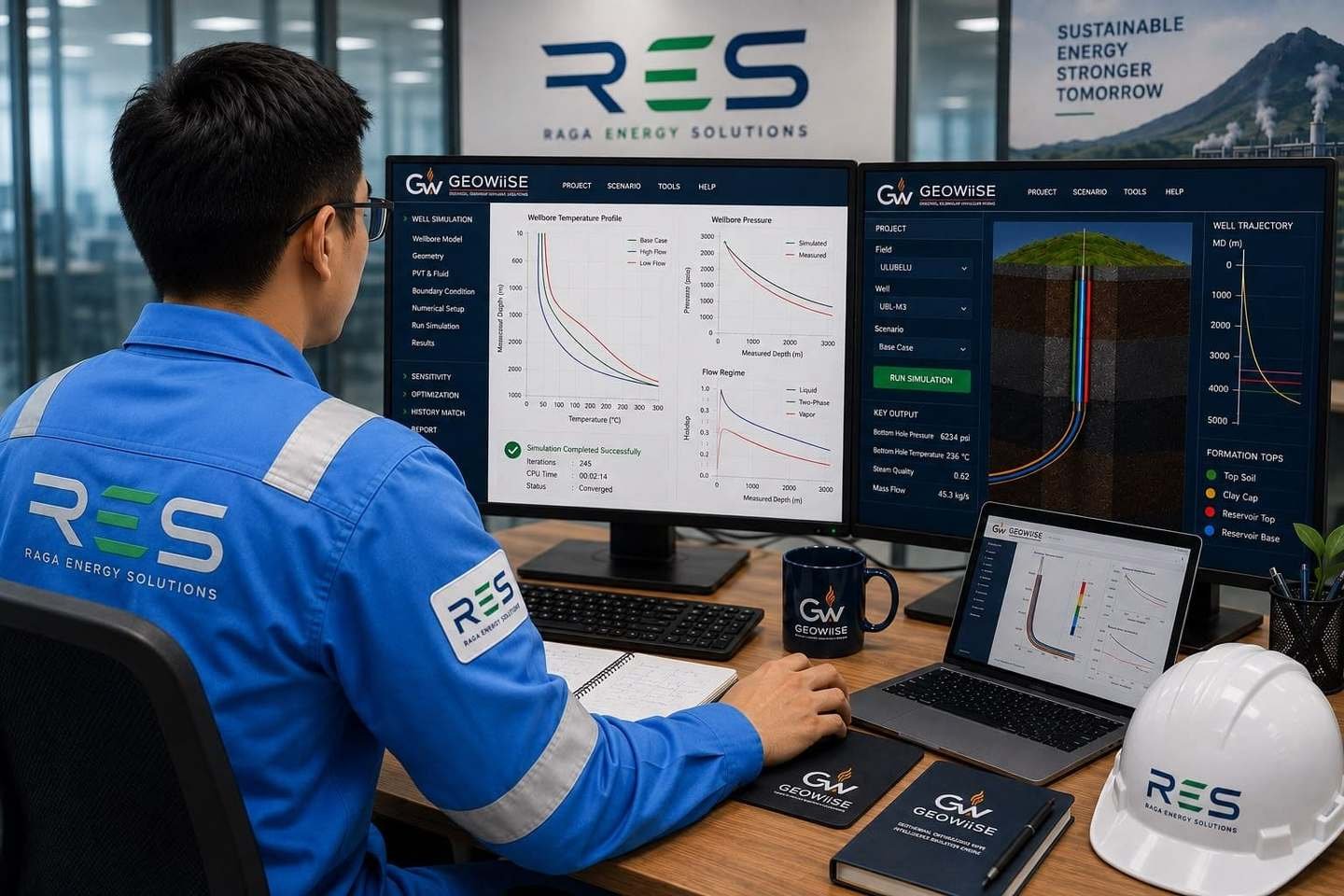
Geothermal teams stitch results across 3–4 disconnected tools.
Different tools for spinner inversion, tracer-flow allocation, transient history-matching, and pipeline simulation rarely share a common engine.
Different file formats and unit conventions per tool let silent assumptions creep in.
Hand-offs between simulators are where reconciliation errors hide.
Our Approach
One physics core. Five workflows.
The wellbore engine that powers GW-Flow is the same engine inside spinner inversion, tracer-flow allocation, transient history-matching, and pipeline simulation. One model file, five workflows — reservoir, production, and surface-facility engineers all work from a shared physics core.
Cover the full geothermal stack
Five workflows built on one wellbore engine.
CORE ENGINE
GW-Flow — Wellbore fluid flow simulation
Simulates single- and two-phase flow inside a geothermal well from feedzone to wellhead — capturing pressure drop, friction, slip, and phase change through casing and tubing of varying geometry. Pick an industry flow correlation such as Duns & Ros, then read the full pressure–temperature profile against the wellbore schematic, or sweep a deliverability output curve of flow rate versus wellhead pressure. Used to size new wells, evaluate workover candidates, and predict deliverability under different reservoir conditions.
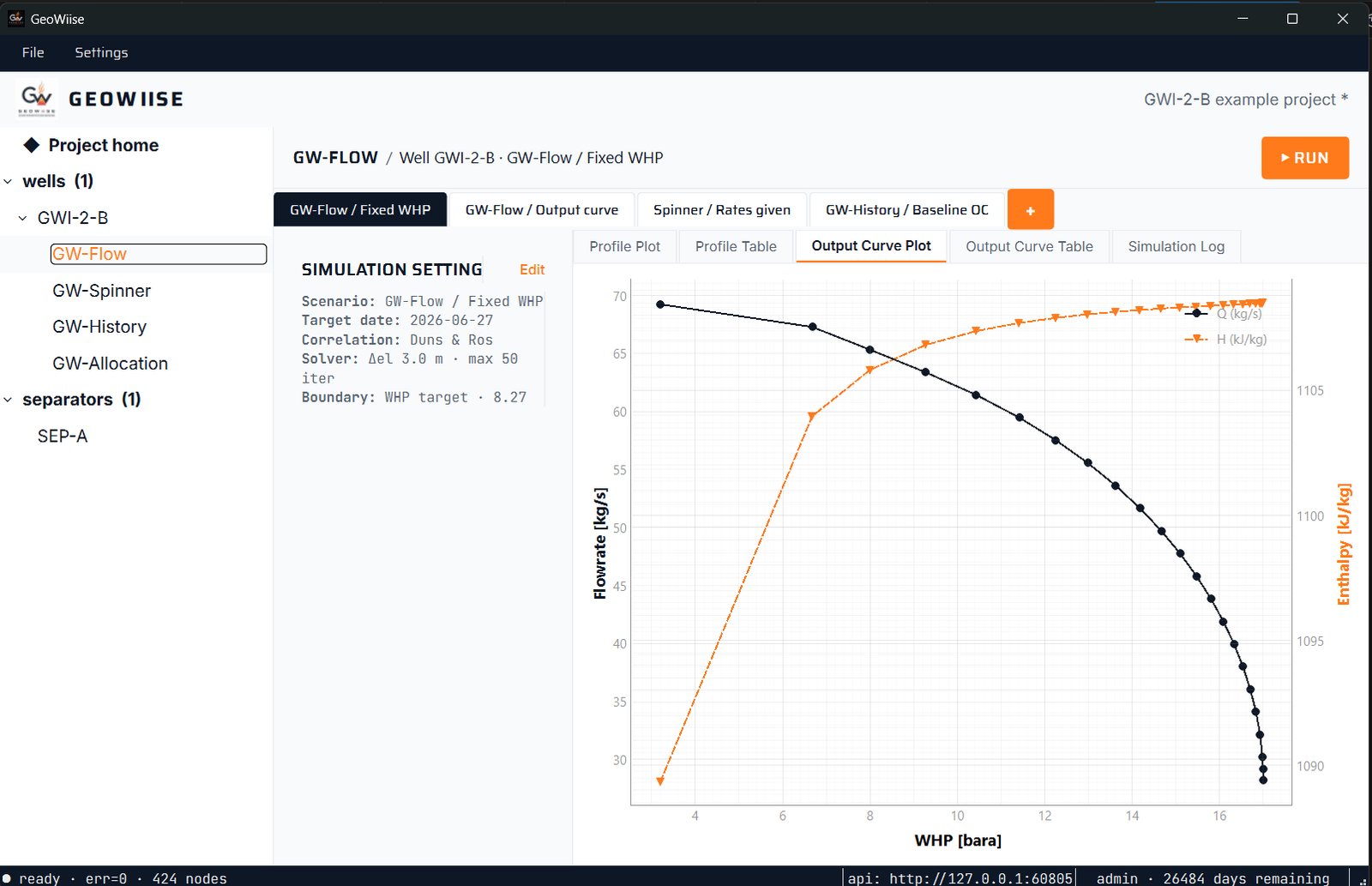
Integrates with — used as the wellbore engine inside GW-Spinner, GW-Allocation, and GW-History: the same fluid-flow physics drives every well-level calculation in the suite.
GW-Spinner — Feedzone contribution from spinner surveys
Turns raw log-down and log-up spinner passes into clean per-feedzone contributions. It filters cable-speed and pressure spikes, bins the trace with a depth-weighted average, then resolves fluid velocity into corrected speed and mass rate through an XPlot and Means workflow. Because specific volume and mass rate follow the same thermodynamic path as GW-Flow’s pressure-drop engine, the inversion respects realistic friction, slip, and phase behaviour — not just lumped 1D assumptions.
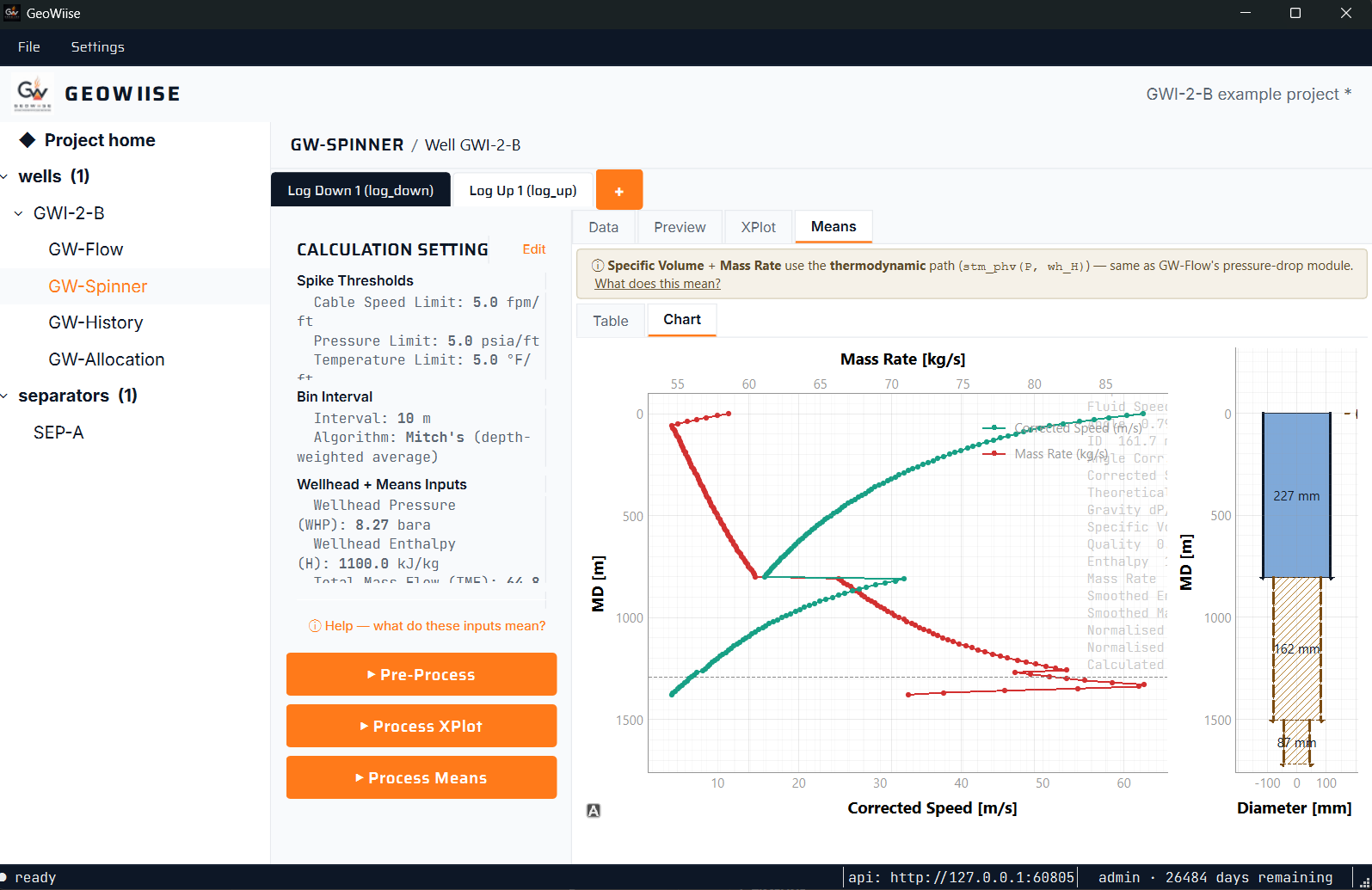
Integrates with — reads the same well file as GW-Flow. Its per-feedzone splits feed naturally into GW-Allocation and GW-History when reconciling well-level flow over time.
GW-Allocation — Rate allocation matched to tracer-flow tests
Reconstructs a well’s continuous flow and enthalpy history from sparse tracer-flow-test (TFT) points. It fits an ellipse decline model to the measured daily wellhead pressure and TFT readings, then history-matches simulated flow and enthalpy across many years — with production time-series, output-curve heatmap, and decline views that show the fit and report bias against the measured data.
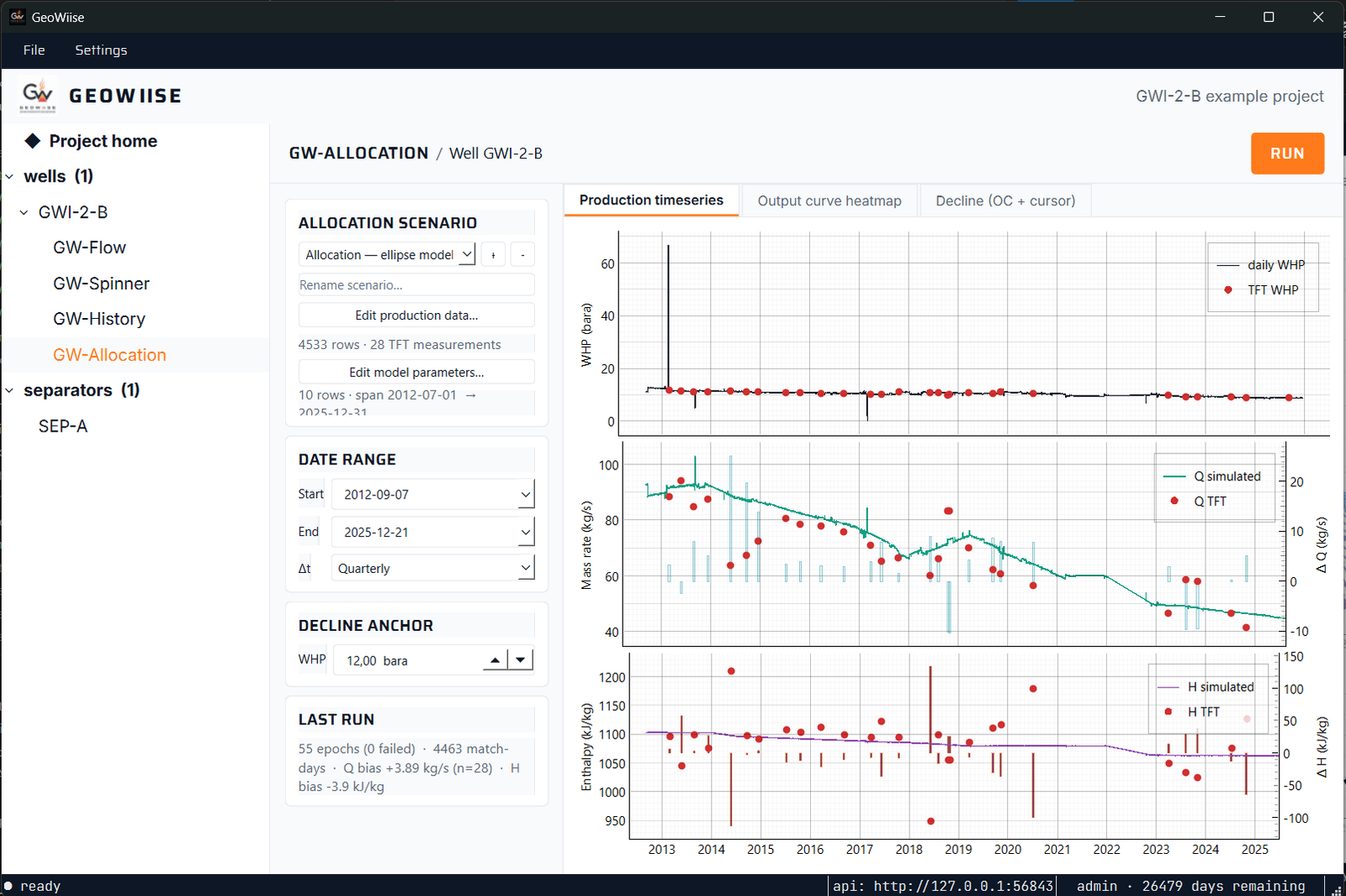
Integrates with — builds on GW-Flow output curves and shares a production-matching engine with GW-History, so an allocation run and a baseline history match read the same well and production data.
GW-History — Transient well & reservoir behaviour over time
Extends the wellbore engine in time. It history-matches a well against years of daily wellhead pressure and periodic flow and enthalpy measurements, tracking the long-timescale changes that matter — reservoir pressure and enthalpy decline, scaling, and completion changes. The same production time-series, output-curve heatmap, and decline diagnostics used for allocation reveal how the reservoir’s behaviour shows up in what the well delivers.
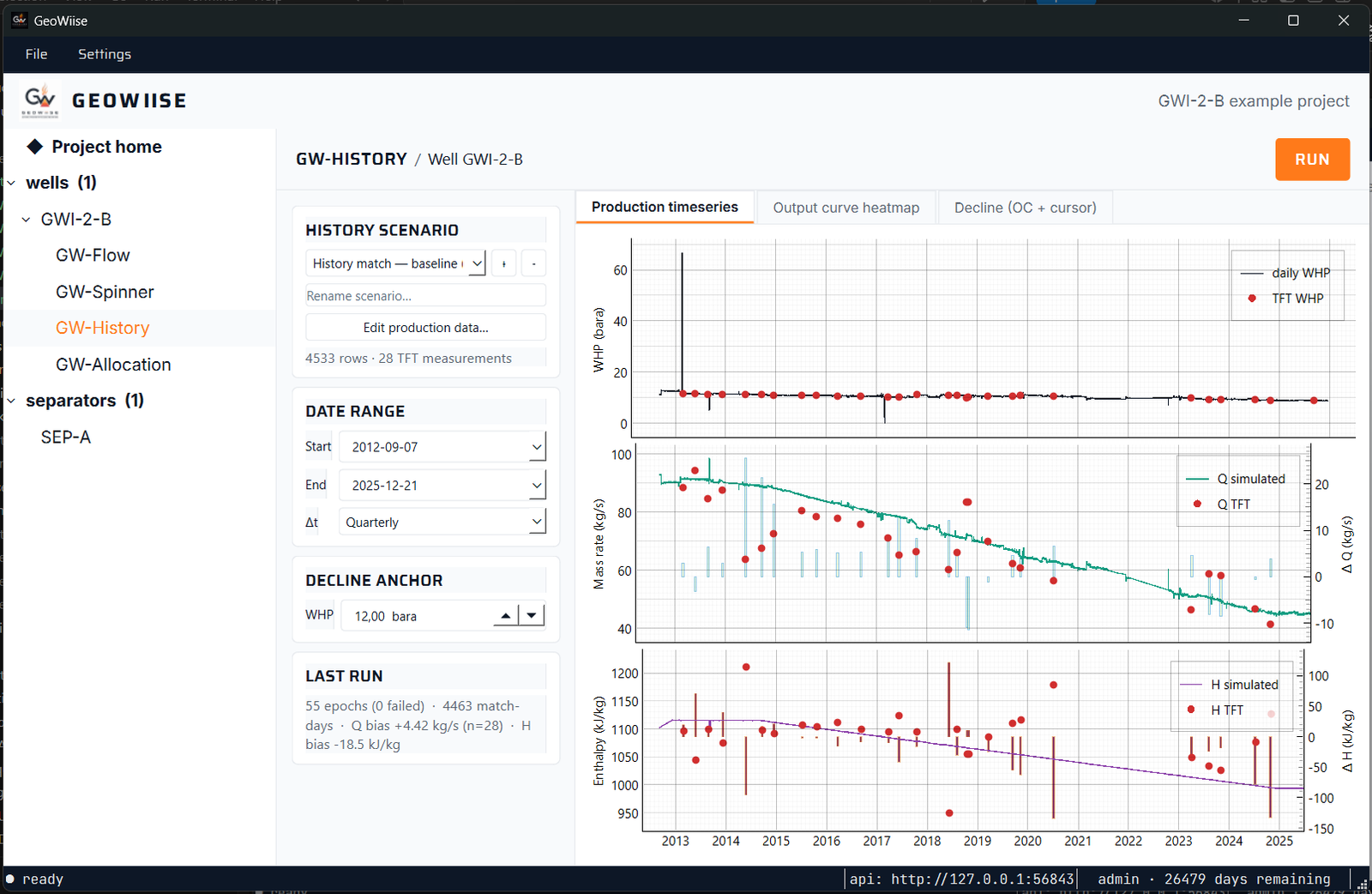
Integrates with — calls GW-Flow for each timestep and shares its production-matching engine with GW-Allocation, so a baseline history match and a rate allocation stay consistent on the same well.
GW-Line — Surface piping and thermodynamics
Picks up where the wellhead leaves off — modelling the pipework from each wellhead through gathering manifolds, separators, and toward the power plant. Handles two-phase pressure drop, heat loss, and the thermodynamic state of each stream so you can size lines, plan tie-ins, and quantify the cost of a longer route.
Integrates with — consumes wellhead conditions from GW-Flow / GW-History, and provides plant-inlet conditions back upstream so well-and-line designs can be iterated together.
GeoWiise Software
From Wellhead to Power Plant, Fully Modeled
GW-Line
Two-phase surface piping & thermodynamics
Pressure Drop
Model two-phase pressure drop across gathering lines and manifolds
Heat Loss
Track heat loss along the route from wellhead to the power plant
Thermodynamic State
Resolve the full thermodynamic state of each stream for sizing and tie-ins
GW-Line
Where GW-Line is used
New Pipework Sizing
Size new gathering pipework for a planned well-pad
Re-route Evaluation
Evaluate the throughput penalty of a proposed re-route
Separator Inlet Check
Check separator inlet conditions across the operating envelope
One file. Five workflows. Real handoffs.
GW-Flow’s wellbore engine drives every other module — same physics, no reconciliation between tools.
Try free. Pay when it’s worth it.
14 Days
Free Trial
Free · no credit card required
Most Popular
Professional
Talk to sales · per-seat pricing tailored to team size
Discounts Available
Academic / Volume
Talk to us · universities, research labs, multi-site operators
Try GeoWiise free for 14 days.
Let’s build the future of energy.
Raga Energy Solutions is ready to collaborate with energy companies, technology providers, engineering organisations, and industry partners.
RAGA ENERGY SOLUTIONS
Energy · Technology · Engineering